
Google AI Search SEO for WordPress: What to Fix Now
Google AI Search SEO for WordPress: What to Fix Now
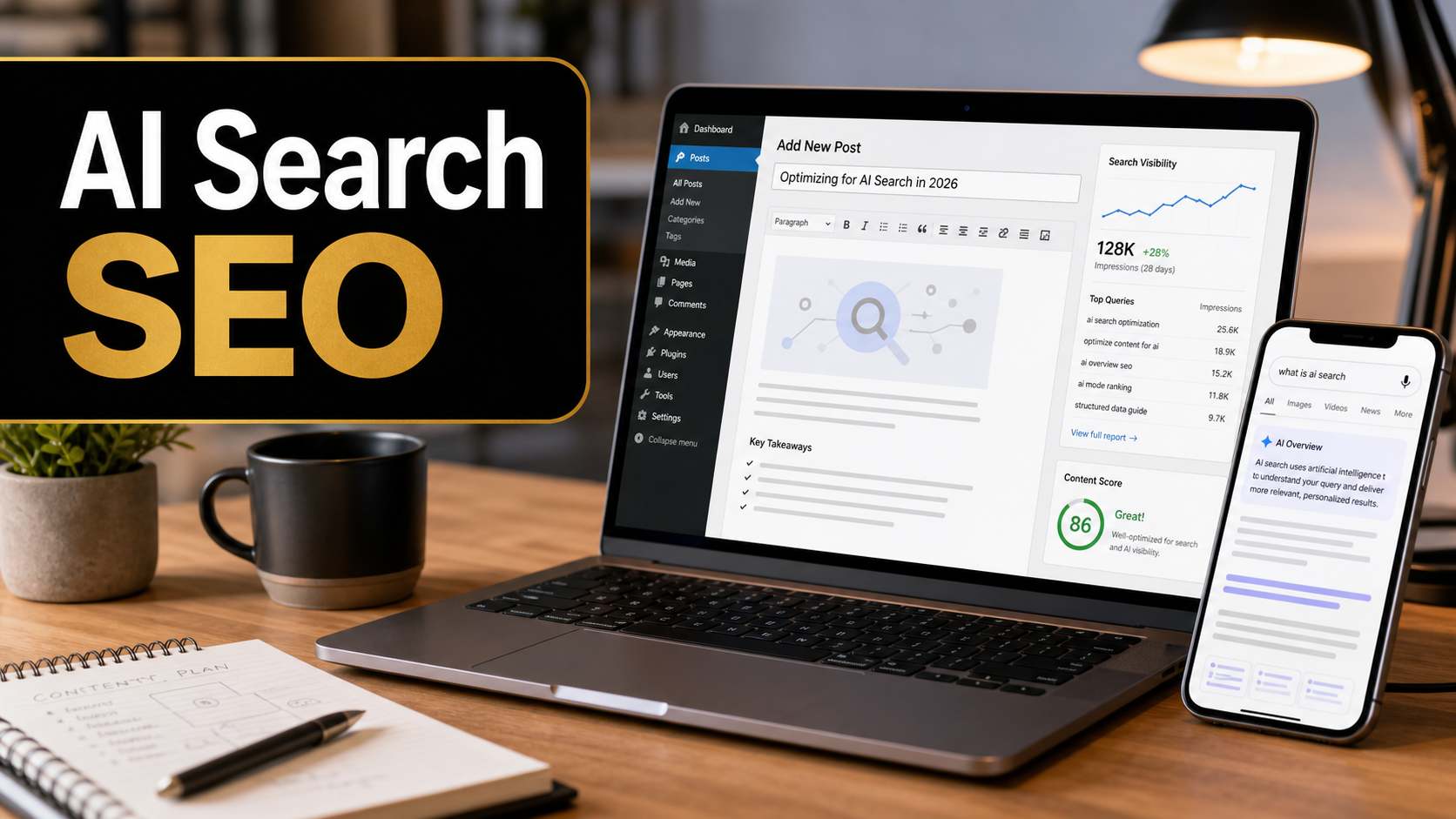
Google just made the AI search conversation clearer for website owners. A new Google Search Central guide published on May 15, 2026 says the practical answer is not a separate magic discipline called GEO, AEO, or AI-only SEO. For Google Search, the work is still SEO: useful pages, crawlable structure, clear internal links, accurate structured data, original experience, and content that deserves to be cited.
That matters for WordPress site owners because AI Overviews and AI Mode are no longer side experiments. Google’s May 19, 2026 Search I/O update shows Search moving deeper into conversational follow-ups, AI agents, multimodal prompts, and richer AI answers. The opportunity is real, but the wrong response is to chase every new optimization hack. If a client asks whether they need an llms.txt file, special AI schema, or hundreds of tiny answer pages, the honest answer is: not for Google Search.
I am writing this from Ricky’s perspective as a freelance web developer with 10 years of WordPress, SEO, troubleshooting, performance, analytics, and client maintenance experience. The better question is practical: can this WordPress site be crawled, understood, trusted, and used by someone who is trying to make a real business decision?
Quick Answer: What Changed?
Google’s new guidance says foundational SEO still applies to generative AI features in Search, including AI Overviews and AI Mode. Search Engine Journal covered the update and highlighted the most practical takeaway for marketers: Google is not asking site owners to create separate AI files, rewrite content only for AI systems, split pages into artificial chunks, or chase fake mentions around the web. Google also says AI Overviews and AI Mode depend on the same broad Search index and quality systems, while using techniques like retrieval and query fan-out to find relevant supporting pages.
For WordPress, this means your priority should be a normal but sharper SEO audit: indexability, snippets, internal links, useful headings, original examples, helpful images, schema that matches visible content, fast mobile pages, and content that gives a clear answer before it gives a long explanation.
Why AI Search Matters for WordPress Sites
Traditional search often rewarded pages that matched a short keyword phrase well. AI search is more likely to deal with messy, multi-part questions. A user may ask, “What should I check before hiring a WordPress developer for a slow WooCommerce store that also has SEO traffic drops?” That query can fan out into performance, hosting, plugin conflicts, Core Web Vitals, conversion tracking, reviews, local service proof, and pricing signals.
A thin service page will struggle in that environment. A stronger WordPress page can win attention because it explains the problem clearly, shows real-world experience, answers related concerns, links to supporting pages, and gives the reader a next step. This is where good freelance web development and good SEO overlap. The site must not only rank; it must help someone make a decision.
If you are reviewing a business site more broadly, Ricky’s guide on when you should update your website is a useful companion because AI search visibility depends on the same fundamentals: current content, clean design, mobile usability, page speed, and clear service positioning.
Google AI Search: What to Do vs What to Ignore
| Topic | Do This | Ignore This | WordPress Note |
|---|---|---|---|
| AI visibility | Improve normal SEO, content quality, technical clarity, and internal links | Buying a separate AI SEO package built only on buzzwords | Use Yoast or Rank Math for basics, but review pages manually |
| Content format | Use clear H2/H3 sections, answer blocks, tables, examples, and FAQs | Forcing every paragraph into tiny AI chunks | Structure for readers first, then check scannability |
| Machine files | Keep sitemap, robots.txt, and canonical setup clean | Creating llms.txt because someone says Google requires it | Google has not made llms.txt a requirement for AI Overviews or AI Mode |
| Structured data | Use accurate schema that matches visible page content | Adding imaginary AI-specific schema | Validate Article, FAQ, LocalBusiness, Product, or Breadcrumb schema where relevant |
| Mentions | Earn real citations, reviews, partnerships, and useful references | Placing fake brand mentions on low-quality sites | Local businesses should keep profiles and real reviews current |
| Measurement | Use Search Console, GA4, rankings, leads, calls, and conversions | Expecting a perfect AI Overview report for every mention | Search Console reports AI feature traffic inside web search data |
Step 1: Make Sure Important Pages Can Be Indexed
Before worrying about AI search, confirm that Google can crawl and index the page. AI Overviews and AI Mode can only surface pages that are eligible in Search. For WordPress, this sounds basic, but it is one of the first places I check when a client says traffic has dropped after a redesign, migration, security cleanup, or plugin update.
WordPress Indexing Checklist
- Open WordPress settings and confirm the site is not set to discourage search engines.
- Check the page source for accidental
noindextags. - Review Yoast SEO advanced settings on important pages.
- Make sure robots.txt is not blocking key page paths, CSS, JavaScript, or media folders.
- Submit the XML sitemap in Google Search Console.
- Use URL Inspection for the homepage, main service pages, best blog posts, and important landing pages.
- After fixes, request indexing only for genuinely important updated URLs.
If the site was recently launched or moved, compare this with Ricky’s post on common problems when launching a WordPress website. Launch problems and AI search problems often share the same root causes: blocked crawling, redirects, cache issues, missing metadata, weak mobile layouts, and forms that were never tested after migration.
Step 2: Write Non-Commodity Content
Google’s guide puts strong emphasis on content that adds something beyond what is already everywhere. This is the part many businesses miss. A page titled “Best WordPress Tips” with generic advice is easy to ignore because thousands of similar pages exist. A page that explains how you diagnosed a real plugin conflict, what failed, what fixed it, what the client should watch next, and how to avoid repeating the issue is much harder to replace.
For a freelancer, this is an advantage. Big content teams often write safe, general advice. A working developer can publish specific lessons from real projects: why a cache plugin broke a contact form, why a staging update looked fine until the CDN served old CSS, why a page builder slowed down only one template, or why GA4 showed traffic but no leads. That experience is exactly what a small business owner wants when choosing who to hire.
A Better WordPress Content Formula
Use this structure for service pages and blog posts:
- Define the problem in plain language.
- Give the short answer early.
- Explain who the advice applies to and who should skip it.
- Show symptoms, causes, and fixes in a table.
- Include screenshots or original images when they genuinely help.
- Add a step-by-step checklist.
- Link to related internal pages that help the reader continue.
- Close with a practical next action.
This is not about writing more words. It is about giving readers and AI systems clear evidence that the page has a point of view, experience, and a complete answer.
Step 3: Use Answer Blocks Without Becoming Robotic
AI search often needs concise source material. That does not mean every page should become a pile of disconnected snippets. It means your page should include short, accurate answer blocks at natural moments.
Example answer block: To optimize a WordPress page for Google AI Search, make sure the page is indexable, write original experience-based content, use descriptive headings, add accurate schema, link to supporting pages, include helpful images, and measure results in Search Console and GA4. You do not need special AI schema or an llms.txt file for Google AI Overviews or AI Mode.
That answer helps a reader quickly. It also gives search systems a clean summary of the page. The rest of the article then proves the answer with depth, examples, and context.
Step 4: Strengthen Internal Links
Internal links are one of the most underused WordPress SEO fixes. They help users move through the site, help Google discover related pages, and show which pages are important. For AI search, internal links also help connect topics. A page about AI search SEO should naturally connect to analytics, website updates, WordPress launches, cache, and maintenance.
For example, if a business owner improves AI search visibility but does not track results, the work is incomplete. Ricky’s article on Google Analytics 4 implementation is relevant because GA4 helps measure user behavior, events, and conversions after SEO changes.
Internal Link Audit Steps
- List your five most important service pages.
- List your ten most useful blog posts.
- Find pages with no internal links pointing to them.
- Add contextual links from related posts using descriptive anchor text.
- Update old posts that still get traffic but send readers nowhere useful.
- Avoid linking every keyword to the same page. Link only where it helps the reader.
Step 5: Clean Up Titles, Meta Descriptions, and Snippets
AI search does not remove the need for strong snippets. People still click links, compare sources, skim titles, and decide whether a result looks trustworthy. In WordPress, Yoast SEO makes this easier, but it cannot decide your positioning for you.
A good SEO title should be specific, not stuffed. A good meta description should explain the value of the page in one sentence. For service pages, mention the service, audience, and outcome. For tutorials, mention the problem and the practical fix.
Bad title: “SEO Services | Best SEO | AI SEO | WordPress SEO”
Better title: “WordPress SEO Fixes for AI Search Visibility”
Bad meta description: “We provide SEO, AI SEO, WordPress, optimization, rankings and more.”
Better meta description: “Improve WordPress visibility in Google AI Search with indexability, content structure, schema, internal links, and analytics checks.”
Step 6: Add Accurate Structured Data
Structured data still matters, but only when it matches the visible page. Do not add fake FAQ schema, fake reviews, or special markup that promises AI exposure. For most WordPress sites, useful schema types include Organization, LocalBusiness, BreadcrumbList, Article, Product, Service, Review, and FAQ where appropriate.
Plugins can generate schema, but plugin output should be checked. I have seen WordPress sites where multiple SEO plugins, theme options, and page builders all added overlapping schema. That can create confusing or duplicated markup. Use Google’s Rich Results Test or Schema Markup Validator to inspect important pages, then remove duplicate sources if needed.
Step 7: Use Images and Video Where They Add Value
Google’s AI search guidance continues to treat high-quality images and videos as useful support for content. For WordPress, this is practical. A troubleshooting post can include screenshots of settings. A service page can include real project examples. A tutorial can include annotated images showing where to click.
Every image should have descriptive alt text. Do not stuff alt text with keywords. Describe the image accurately: “WordPress dashboard showing Yoast SEO title and meta description fields” is more useful than “AI SEO WordPress AI SEO WordPress ranking.”
Image optimization also matters. Compress images, use modern formats where possible, set width and height attributes, and lazy-load non-critical images. If image and script optimization creates layout problems, review Ricky’s older guide on W3 Total Cache settings for WordPress and test caching changes carefully on staging.
Step 8: Prepare for AI Agents, Not Only AI Answers
Google’s May 19 Search update points toward AI agents that can monitor, compare, book, and help users act. This is not only a content issue. It is also a website usability issue. If AI agents and browser-based assistants need to understand a website, the site should be accessible, structured, stable, and easy to interact with.
For a WordPress service business, that means forms should have real labels, buttons should say what they do, contact details should be crawlable text, business information should match across the site and profiles, and key pages should not hide everything behind broken scripts. A fancy layout that a human can barely use will not become better because search is more intelligent.
Troubleshooting: Why a WordPress Site May Miss AI Search Opportunities
| Symptom | Likely Cause | Practical Fix |
|---|---|---|
| Important page does not appear in Google | Noindex tag, blocked crawl, weak internal links, canonical issue | Use URL Inspection, check Yoast advanced settings, inspect robots.txt, and add internal links |
| Page ranks but gets weak clicks | Generic title, unclear snippet, outdated content angle | Rewrite title and meta description around a specific problem and outcome |
| AI answers cite competitors | Competitors have clearer examples, stronger topical coverage, or more useful structure | Add original examples, comparison tables, FAQs, images, and supporting internal links |
| Schema warnings appear | Plugin conflict, duplicate schema, missing required fields | Validate schema, disable duplicate outputs, and match markup to visible content |
| Traffic exists but leads do not improve | Weak calls to action, slow mobile pages, broken forms, poor tracking | Test forms, improve page speed, add clear CTA sections, and track conversions in GA4 |
Mistakes to Avoid
- Do not create low-quality pages for every possible AI search variation.
- Do not rewrite a useful human page into awkward machine-targeted text.
- Do not add schema that does not match visible content.
- Do not block important text behind images, tabs, sliders, or scripts that fail on mobile.
- Do not judge success only by traffic. Measure leads, calls, form submissions, and useful engagement.
- Do not ignore old posts. Updating existing pages is often faster than publishing new generic content.
- Do not assume AI search visibility can be bought with one plugin setting.
My Freelancer Recommendation
If I were auditing a WordPress site this week, I would not start with a new AI tool. I would start with the homepage, top service pages, top five blog posts, Search Console, GA4, sitemap, robots.txt, schema output, mobile experience, and internal links. Then I would ask one hard question for each important page: what does this page explain better than a generic AI answer?
If the page has no unique examples, no clear process, no proof, no troubleshooting detail, and no real point of view, it needs editorial work. If the page is useful but slow, hard to crawl, poorly linked, or missing metadata, it needs technical SEO work. If the page gets clicks but no leads, it needs conversion work. AI search does not replace these fundamentals. It raises the cost of leaving them weak.
FAQ
Is AI search optimization different from SEO?
For Google Search, AI search optimization is still SEO. The focus remains useful content, technical accessibility, clear structure, internal links, snippets, and trustworthy site quality. The language may change, but the core work is familiar.
Does WordPress need an llms.txt file for Google AI Overviews?
No. Google’s guidance says site owners do not need new machine-readable files, AI text files, or special markup to appear in AI Overviews or AI Mode. A clean sitemap, indexable pages, and useful content are more important.
Should I add special AI schema to WordPress?
No special AI schema is required for Google AI search features. Use normal structured data only when it accurately represents visible content, such as Article, FAQ, Breadcrumb, LocalBusiness, Product, or Organization markup.
How do I track AI Overview traffic?
Google says traffic from AI features is included in Search Console’s web search performance reporting. You should also use GA4 to watch engagement, conversions, calls, forms, and other business outcomes after SEO changes.
What is the best first fix for a small business WordPress site?
Start with the pages that generate leads. Confirm they are indexable, update titles and descriptions, add original experience-based content, improve internal links, test forms, check mobile speed, and validate schema.
Final Thoughts
The current AI search update is not a reason to panic. It is a reason to get more serious about the basics. Google is telling site owners that AI Overviews and AI Mode still depend on the same broad Search foundations: helpful content, clean technical structure, crawlability, clear links, useful media, and honest representation of what is on the page.
For WordPress site owners, that is good news. You do not need to chase every new AI SEO label. You need a site that explains your expertise clearly, answers real customer questions, loads well on mobile, tracks results, and gives both people and search systems a reason to trust it. That is practical SEO, and it is still the right work in 2026.
Sources used: Google Search Central: Optimizing your website for generative AI features on Google Search, Google Search Central: AI features and your website, Google Search I/O 2026 updates, Google: 5 new ways to explore the web with generative AI in Search, and Search Engine Journal’s coverage of Google’s AI search guide.