
Claude Code Limits Are Higher: A Practical WordPress Automation Workflow for Freelancers
Claude Code Limits Are Higher: A Practical WordPress Automation Workflow for Freelancers
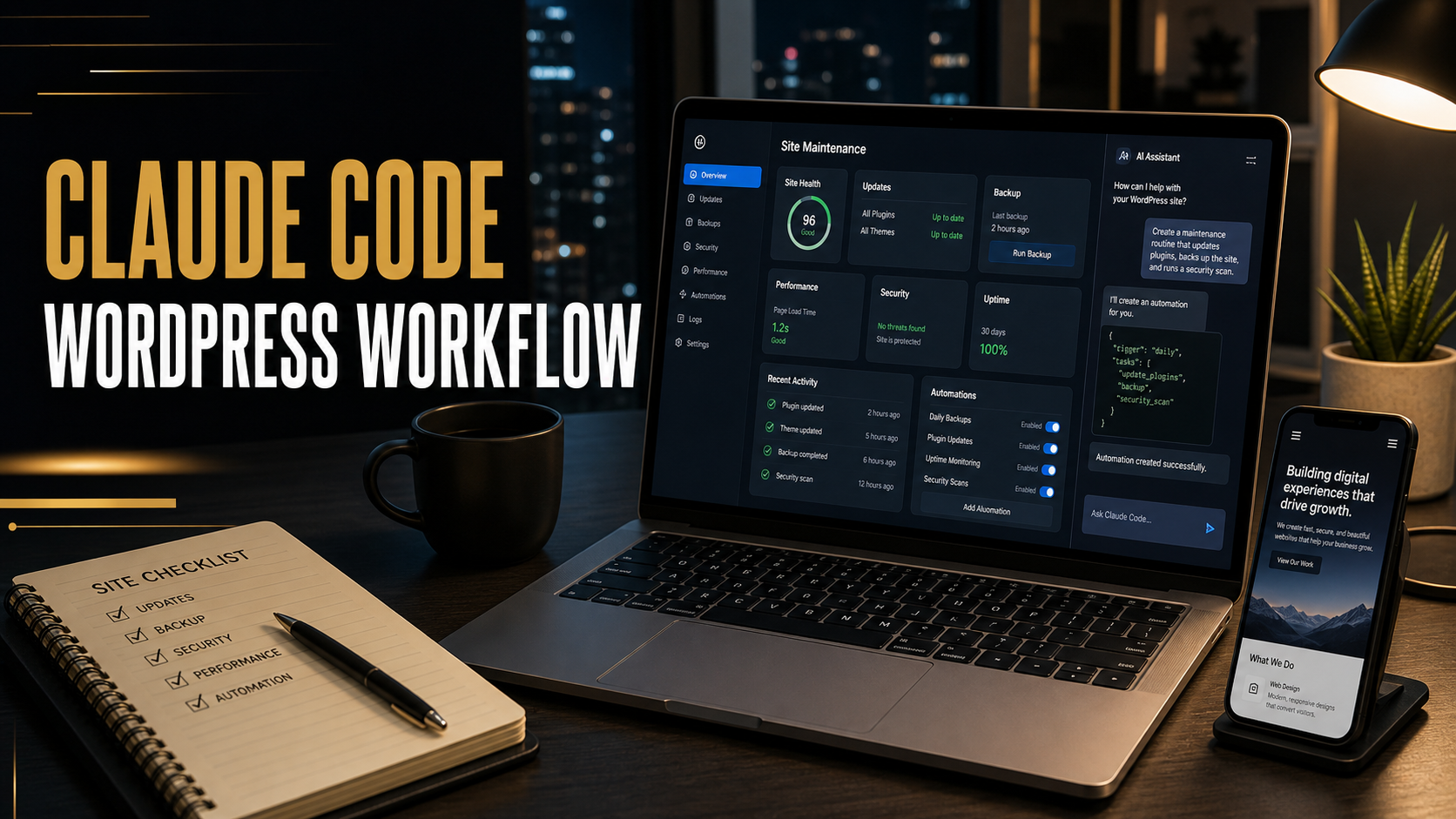
Claude Code became more useful for serious development work this month, especially for freelancers who use AI as a working partner instead of a novelty chatbot. On May 6, 2026, Anthropic announced higher usage limits for Claude Code and the Claude API after expanding compute capacity. The important practical change is simple: Claude Code five-hour rate limits are doubled for Pro, Max, Team, and seat-based Enterprise plans, and peak-hour limit reductions are removed for Pro and Max accounts.
For a WordPress freelancer, that is not just a billing or capacity update. It changes how confidently you can use Claude Code during real project blocks: auditing a plugin conflict, reviewing a theme, preparing a staging update, writing migration scripts, improving Core Web Vitals, or documenting fixes for a client. When limits are tight, you ration the tool. When limits are better, you can use it in a more disciplined workflow without stopping halfway through a debugging session.
I work from the perspective of a freelance web developer with 10 years of WordPress, PHP, hosting, speed optimization, and troubleshooting experience. My view is practical: Claude Code is powerful, but it should not be allowed to touch a production website casually. The best results come when you use it inside a controlled local or staging workflow, protect secrets, keep Git history clean, test every change, and explain the result to the client in plain language.
Quick Answer: What Changed With Claude Code?
Anthropic says it has raised Claude Code capacity by doubling five-hour rate limits for Pro, Max, Team, and seat-based Enterprise plans, removing peak-hour reductions for Pro and Max, and increasing Claude Opus API rate limits. The company tied the change to new compute capacity, including a SpaceX data center agreement. In the same week, Anthropic also pushed Claude toward small-business workflows and larger enterprise deployments, which signals that Claude is being positioned for ongoing work inside real business systems, not only one-off prompts.
For freelancers, the key takeaway is this: Claude Code can now be a more dependable assistant for longer coding and maintenance sessions, but the workflow still needs human review, backups, staging, and testing.
Why This Matters for WordPress Freelancers
WordPress work is rarely one clean coding task. A client says the contact form stopped working, but the real issue might be SMTP authentication, a plugin update, a JavaScript error, a blocked REST request, and cached assets all interacting at once. Another client asks for a simple design tweak, but the theme uses a page builder, custom CSS, a child theme, and a plugin that injects styles late in the page.
This is where Claude Code can help. It can inspect files, search a codebase, summarize plugin logic, draft a fix, write a test checklist, and prepare a client report. It can also waste time if you give vague prompts or let it modify too much at once. Higher limits are helpful because you can keep the same context for longer, but they are not a replacement for good development discipline.
If you are planning a larger site improvement, Ricky’s main service page at Rikidesk freelance web development is a useful reference for the kind of WordPress, PHP, hosting, analytics, and troubleshooting work this workflow supports. For readers comparing this with broader maintenance topics, the Rikidesk blog also includes older posts on WordPress launch problems, website updates, Google Analytics 4, and cache settings.
Claude Code vs Chat Claude vs Other AI Coding Tools
| Tool style | Best use | Weak point | Freelancer recommendation |
|---|---|---|---|
| Claude Code | Working inside a codebase, tracing bugs, editing files, creating repeatable project workflows | Needs permissions, safeguards, and review before changes are trusted | Use for local/staging WordPress projects with Git and clear tasks |
| Claude chat | Planning, explaining errors, drafting client messages, brainstorming SEO content | Does not naturally inspect and edit your repo unless you provide context | Use before or after coding work, especially for strategy and documentation |
| General AI code assistants | Autocomplete, small snippets, quick refactors | Can miss cross-file WordPress behavior and plugin/theme context | Use for narrow edits, but verify against WordPress hooks and runtime behavior |
| Manual developer workflow | Production judgment, architecture, deployment decisions, security review | Slower for repetitive code search and summarization | Keep this as the final authority, especially for live sites |
Who Should Use This Workflow?
Use Claude Code if you maintain WordPress sites regularly, have a local or staging copy, understand Git basics, and are willing to review changes carefully. It is especially useful for freelancers who handle many small client fixes each week: broken layouts, plugin conflicts, PHP notices, slow pages, custom shortcodes, theme overrides, and migration cleanup.
Small agencies can also benefit. Anthropic’s May 13, 2026 Claude for Small Business announcement shows Claude moving closer to everyday business tools like Google Workspace, Microsoft 365, HubSpot, Canva, PayPal, DocuSign, and QuickBooks. That matters because WordPress projects rarely live alone. A client website connects to CRM forms, payment tools, email marketing, analytics, calendars, documents, and support processes. Claude workflows become more valuable when they can help explain and coordinate those connected systems.
Who Should Avoid It?
Avoid letting Claude Code modify a project if you do not have a backup, do not know how to restore the site, or are working directly on production. Also avoid it for projects where you cannot legally or contractually expose code or content to third-party AI tools. Some clients in healthcare, finance, legal, education, or enterprise environments need stricter approval before AI touches repositories, database exports, logs, or user data.
Another group should be careful: beginners who want Claude to replace all understanding. Claude can write code that looks convincing but fails in a specific WordPress environment. If you cannot read the PHP, JavaScript, CSS, or SQL it changes, you should narrow the task and ask for explanation before accepting edits.
My Recommended Claude Code Setup for WordPress
1. Start with a staging or local copy
Never begin with the live site. Use a staging site from the host, Local, Docker, wp-env, or another local development setup. Pull down the theme, must-use plugins, custom plugins, uploads needed for testing, and a database copy with sensitive customer data removed where possible.
2. Put the project under Git
Claude Code works better when you can inspect diffs. Commit the current clean baseline before asking it to edit anything. A clean Git state lets you separate useful AI work from risky output quickly.
3. Protect secrets and private files
Anthropic’s Claude Code settings documentation recommends permission rules that can deny access to sensitive files such as .env, secret folders, credentials, and generated builds. For WordPress work, I would block files like wp-config.php if it contains credentials, database dumps, payment logs, private exports, API keys, and client documents.
4. Create a project instruction file
Add a clear project note that explains the stack: WordPress version, PHP version, theme name, child theme status, important plugins, build commands, coding standards, and what should not be changed. This is where Claude starts acting less like a generic AI and more like a project assistant.
5. Give small, testable tasks
Do not ask: fix my WordPress site. Ask: inspect the child theme and find why the mobile menu overlay covers the header logo after the latest theme update; do not edit files yet; return likely causes and test steps. Once the cause is clear, ask for one patch.
A Practical WordPress Automation Workflow
Here is the workflow I would use for a real freelance maintenance task.
- Clone the site to staging or local development.
- Back up files and database before changing anything.
- Commit the current project state in Git.
- Ask Claude Code to inspect the bug without editing files.
- Review the diagnosis and ask it to propose a minimal fix.
- Let it edit only the relevant theme or plugin files.
- Review the diff manually.
- Run available linting, build, or test commands.
- Test the front end in desktop and mobile widths.
- Clear cache layers and retest in a private browser window.
- Write a short client note explaining what changed and what was verified.
- Deploy only after the staging result is clean.
Example Prompt for a WordPress Bug
Use a prompt like this when you want Claude Code to investigate before editing:
You are helping with a WordPress staging copy. First inspect only. Do not edit files yet. The issue: after the latest plugin updates, the contact page submits but the confirmation message does not appear. Search the active theme and custom plugins for form-related hooks, AJAX handlers, REST routes, and JavaScript that targets the contact form. Return the likely cause, files involved, and a safe test plan. Do not read .env, wp-config.php, database dumps, or private exports.
After reviewing the answer, you can continue:
Implement the smallest fix for the confirmed cause. Touch only the contact form JavaScript and the related PHP handler if needed. Preserve existing markup and CSS classes. After editing, show the diff summary and list manual tests for desktop, mobile, and cached pages.
Useful Claude Code Features for WordPress Work
Subagents for research-heavy tasks
Claude Code documentation describes subagents as specialized assistants that work in separate context and return summaries. For WordPress projects, a read-only research subagent is useful for tasks like mapping hooks, finding where a shortcode is registered, identifying template overrides, or scanning a plugin for REST endpoints. That keeps the main conversation cleaner and reduces confusion.
Hooks for safety and repeatability
Claude Code hooks can run at specific lifecycle points, including before tool use, after tool use, and when subagents start or stop. Anthropic’s hooks documentation also shows how a hook can block destructive shell commands. For WordPress freelancers, a hook can enforce basic project rules: block direct reads of secret files, run a formatter after edits, notify you when Claude needs permission, or stop risky commands.
MCP and connected tools
MCP matters because modern WordPress work touches more than code. A future-ready setup could connect safe tools for GitHub issues, documentation, browser testing, project notes, or client-approved data sources. Keep the permission surface small. The goal is not to connect everything; the goal is to connect only the tools that make the current job more reliable.
Claude Code for WordPress SEO and Content Operations
Claude Code is not only for PHP fixes. It can help with technical SEO tasks when used carefully. For example, it can scan theme templates for heading structure, find hard-coded noindex tags, inspect schema output, locate canonical URL logic, review sitemap plugin customizations, or identify internal link opportunities in custom templates.
For content operations, I would still keep final editorial judgment human. Claude can draft outlines, summarize competitor SERPs, and prepare FAQ blocks, but Ricky’s experience should drive the final advice. Search engines and AI answer engines are getting better at recognizing generic content. The best WordPress posts now need specific examples, original troubleshooting steps, clear definitions, tables, FAQs, and source citations.
Mistakes to Avoid
- Do not give Claude Code live server credentials unless there is a controlled, approved process.
- Do not paste database exports with user emails, orders, form submissions, or payment data into prompts.
- Do not accept a large refactor when a two-line compatibility fix is enough.
- Do not skip browser testing because the code diff looks correct.
- Do not let AI rewrite client-facing copy in a way that changes the offer, pricing, guarantees, or legal meaning.
- Do not forget cache. Many WordPress fixes appear broken until plugin, server, CDN, and browser caches are cleared.
Freelancer Perspective: Where Claude Actually Saves Time
The biggest time savings are not in writing the first line of code. They are in reducing the boring investigation work. Claude can search a codebase faster than a tired developer at midnight. It can explain a plugin’s hook chain, summarize a long error log, and produce a deployment checklist. That leaves the freelancer to make the important decisions: whether the fix is appropriate, whether it is safe for the client, and whether it should be deployed now or scheduled after a backup window.
Claude also helps with client communication. After a technical fix, ask it to turn the change into a three-bullet client update: issue found, fix applied, tests completed. Then edit the message so it sounds like you, not like a generic support ticket.
FAQ
Is Claude Code worth using for WordPress?
Yes, if you work from a staging or local copy and review every change. It is strongest for codebase inspection, debugging, small patches, documentation, and repeatable maintenance workflows.
Can Claude Code build a full WordPress website?
It can help scaffold theme files, custom plugins, blocks, templates, and scripts, but it should not replace planning, design judgment, security review, performance testing, or client approval. Use it as a developer assistant, not a project owner.
Do higher Claude Code limits mean unlimited usage?
No. Anthropic increased limits for several paid plans, but usage limits still exist and vary by plan, activity, model, and demand. Plan long tasks in focused sessions instead of assuming endless availability.
What should I block Claude Code from reading?
Block credentials, .env files, wp-config.php if it contains secrets, database dumps, private client exports, payment records, raw form submissions, and any file your client would not approve for AI processing.
How should I combine Claude with WordPress maintenance?
Use Claude to inspect issues, propose minimal fixes, produce test plans, summarize diffs, and draft client notes. Keep backups, Git review, browser testing, and final deployment decisions under human control.
Final Thoughts
Anthropic’s higher Claude Code limits make the tool more practical for real freelance development sessions. The best use case is not hype. It is controlled, repeatable WordPress maintenance: inspect, patch, test, explain, and deploy safely. If you are a freelancer, this is where AI can become a real advantage. It helps you move faster, but your professional value still comes from judgment, client communication, and knowing when not to let the tool touch production.
Sources used: Anthropic: Higher usage limits for Claude and a compute deal with SpaceX, Anthropic: Introducing Claude for Small Business, Anthropic and PwC expanded partnership, Claude Code settings documentation, Claude Code hooks documentation, and Claude Code subagents documentation.