
Google Search Console AI Reports: What WordPress Site Owners Should Check Now
Google Search Console AI Reports: What WordPress Site Owners Should Check Now
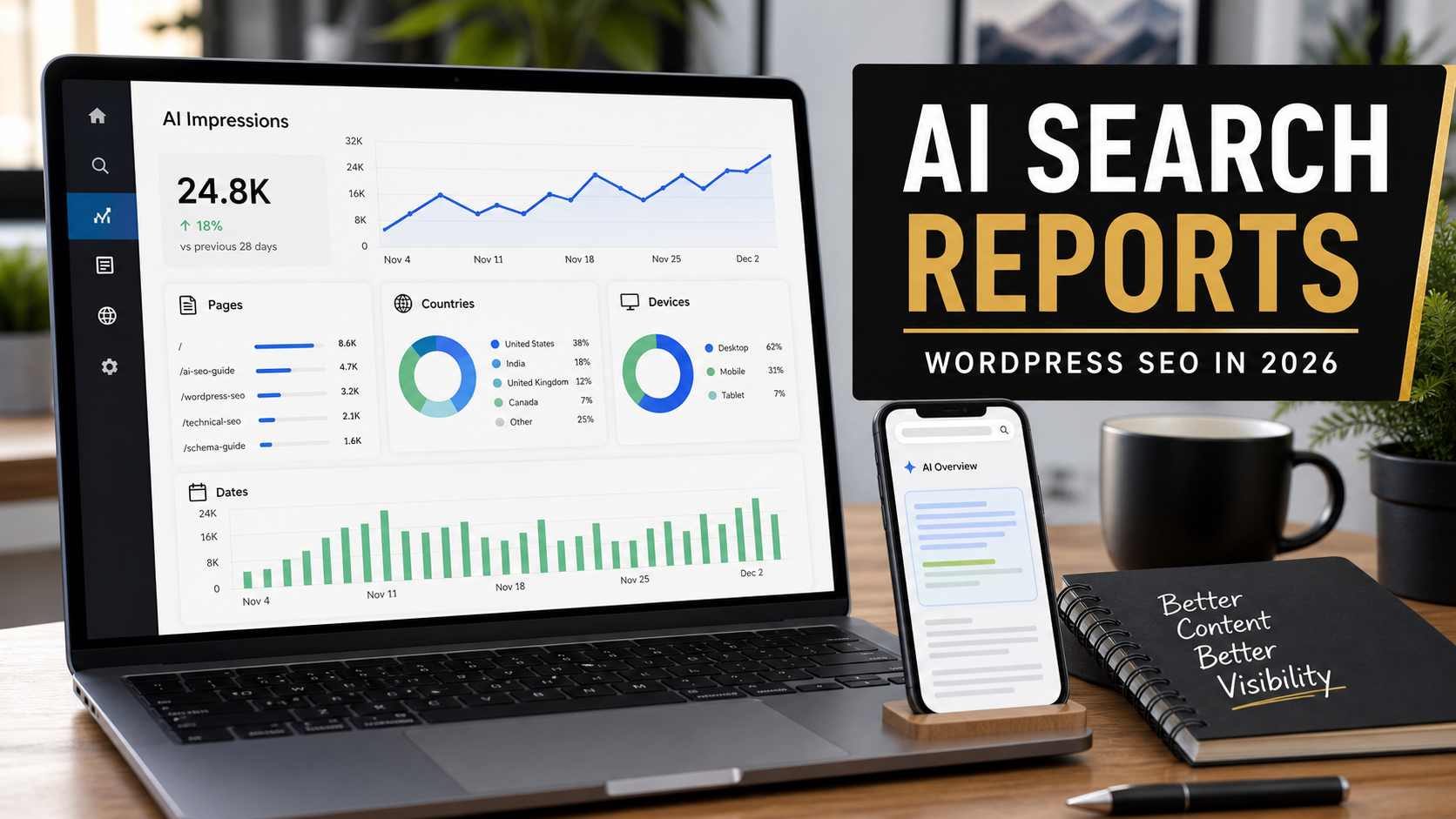
Google Search Console is starting to show a new kind of visibility data: how a site appears in generative AI features on Google Search. For WordPress site owners, bloggers, local businesses, and freelancers, this is a practical change. We finally have a dedicated place to check whether pages are earning impressions in AI Overviews and AI Mode instead of guessing from traffic drops, screenshots, or third-party tools.
As a freelance web developer who has worked with WordPress for more than 10 years, I see this as a reporting shift, not a magic ranking trick. The report will not tell you every prompt, every click, or every conversion. It is still useful because it gives you a baseline: which pages are visible inside AI search experiences, where those impressions come from, and whether your content is being discovered by the systems that now sit above or beside traditional blue links.
This guide explains what changed, what the report can and cannot tell you, how to read the data without overreacting, and what I would fix first on a WordPress website.
Quick Answer: What Changed?
Google added a Generative AI performance report in Search Console for a subset of site owners. According to Google’s help documentation, the report shows impressions for supported generative AI capabilities on Google Search, including AI Overviews and AI Mode. It can group data by pages, countries, devices, and dates. It does not currently give the same complete decision-making picture many publishers want, especially around clicks and CTR from AI features.
Search Engine Journal covered the rollout from two useful angles: how SEOs can use the new AI Overview reporting and why the new opt-out control still leaves measurement gaps. I used those SEJ pieces to identify the practical questions site owners are asking, then verified the main feature details against Google Search Console documentation.
What The New Generative AI Report Shows
The report is designed to show organic impressions from Search generative AI features. In plain English, an impression means links to your site were shown to a user inside a supported generative AI feature on Google Search. Google says the report is rolling out gradually, so not every property will see it yet.
Inside the report, the useful dimensions are straightforward:
- Pages: which URLs receive impressions in AI search features.
- Countries: where those impressions originate.
- Devices: whether visibility is coming from desktop, mobile, or tablet.
- Dates: how impressions move over time.
For a WordPress website, the page dimension is the most valuable starting point. It tells you which articles, service pages, tutorials, or category pages Google’s AI features are already surfacing. You can then compare that list with your normal Search performance, analytics, leads, and content priorities.
What The Report Does Not Prove Yet
The biggest mistake would be treating AI impressions as revenue, rankings, or client success. They are not. An impression can show that Google displayed a link to your page in an AI feature, but it does not automatically mean the visitor clicked, read, submitted a form, or became a customer.
That limitation matters because AI search has created a measurement gap. SEJ noted that publishers want clearer click and CTR data for AI features, and Google’s current documentation describes the generative AI report mainly around impressions. Until richer click data is available, the safest interpretation is this: AI impressions are a visibility signal, not a business outcome.
My practical advice is to combine three sources before making decisions:
- Generative AI impressions in Search Console.
- Traditional Search performance for the same pages.
- GA4 engagement, form submissions, calls, purchases, or other conversion events.
If your analytics setup is weak, fix that before you argue about AI search impact. I have a separate guide on why Google Analytics 4 matters for understanding website behavior, and that kind of measurement is more important now because AI search can change the path people take before they visit.
Should WordPress Sites Opt Out Of Google Search Generative AI?
Google also documents a Search generative AI control in Search Console. The control lets eligible site owners include or exclude their site’s links and content from certain generative AI features on Google Search, including AI Overviews, AI Mode, and generative AI features in Discover. Google says inclusion is the default for all properties.
This is a serious decision, especially for publishers, news sites, research sites, and businesses with valuable original content. Excluding a site can prevent links and content from appearing in those generative AI features, which also means the site should not receive impressions or traffic from them. Google also says this control is not used as a ranking or inclusion signal for other parts of Search.
For most small business WordPress sites, I would not rush to opt out. First, check whether your content is visible. Then compare those pages against regular Search traffic and conversions. If AI features are misrepresenting your brand, the first fix is often clearer website content, better author information, stronger service pages, updated FAQs, and more consistent business information across the web.
Important Distinction: Opt-Out Is Not The Same As AI Training Control
Google’s Search generative AI control is about whether your content can appear in certain Search generative AI features. Google separately points to Google-Extended for limiting use of content to train models used to generate responses in Search generative AI features. Do not confuse these controls with noindex, robots.txt blocking, or removing a page from Google Search completely. Each choice affects a different layer of discovery and use.
A Practical WordPress Audit Workflow
Here is how I would use the new report for a WordPress client. This is intentionally simple because most site owners do not need a complicated AI visibility dashboard on day one.
- Open Search Console and check whether the Generative AI performance report is available for the property.
- Set a recent date range, then export the page-level data if export is available.
- List the top pages by AI impressions.
- Open the normal Search performance report and check clicks, impressions, queries, and average position for the same pages.
- Open GA4 and review engagement, conversions, and landing page performance for those URLs.
- Classify each page as a winner, missed opportunity, unclear signal, or cleanup priority.
- Improve the pages that have AI visibility but weak click or conversion value.
- Document what changed and review again after enough new data accumulates.
If you already read my earlier guide on Google AI Search SEO for WordPress, this is the measurement layer that goes with it. The content principles are the same: useful structure, first-hand expertise, clean technical SEO, and pages that answer real questions better than a generic summary.
How To Interpret The Data
| Signal | What It May Mean | What To Do Next |
|---|---|---|
| High AI impressions and strong regular clicks | The page may be useful beyond a short AI summary. | Protect and improve it. Add original examples, updated screenshots, stronger internal links, and clearer conversion paths. |
| High AI impressions but weak regular clicks | The topic is visible, but the page may not give users enough reason to visit. | Add deeper troubleshooting, downloadable checklists, pricing context, original images, or service-specific advice. |
| Low AI impressions but strong regular traffic | The page may work well in classic Search but not match AI feature patterns yet. | Improve definitions, concise answer blocks, headings, schema where appropriate, and topical coverage. |
| AI impressions mostly on mobile | Users may be seeing answers in quick mobile research moments. | Check mobile speed, above-the-fold clarity, tap targets, form usability, and sticky distractions. |
| AI impressions from unexpected countries | The page may be globally visible but not aligned with your target market. | Add location clarity, service area details, currency, examples, and hreflang only if truly needed. |
What To Fix First On A WordPress Site
1. Make Your Best Pages More Useful Than A Summary
Google’s own generative AI guidance says SEO is still relevant and emphasizes useful, non-commodity content. For WordPress sites, that means you should stop publishing generic articles that repeat what every competitor says. Add details only you can provide: project screenshots, before-and-after notes, client questions, maintenance lessons, pricing tradeoffs, and real troubleshooting steps.
For example, a generic article titled Best WordPress Maintenance Tips is weaker than a post explaining how you fixed a plugin conflict, tested staging, restored a backup, and prevented the same issue from returning. AI systems can summarize common tips easily. Experience-based pages are harder to replace.
2. Clean Up Headings And Answer Blocks
AI search features need clear structure. Human readers need the same thing. Use one page title, then H2 sections for main questions and H3 sections for supporting steps. Avoid stuffing keywords into every heading. Instead, write headings that match real intent, such as What The Report Shows, What It Does Not Prove, and How To Fix A Page With High Impressions But Low Clicks.
WordPress automatically renders the post title as the H1 on most themes. Inside the body, start with paragraphs or H2 headings. This prevents duplicate H1 issues and keeps your HTML cleaner.
3. Strengthen Internal Links
Internal links help visitors continue learning and help search engines understand page relationships. If your AI-visible page explains a problem, link to the next useful step. A WordPress SEO article can link to a GA4 guide, a website maintenance checklist, or a related troubleshooting post.
For example, if a page is getting AI impressions around launch problems, it makes sense to link to a practical article about common problems when launching a WordPress website. If the issue is outdated design, content, or performance, point readers to guidance on when a website should be updated.
4. Add Evidence, Not Just Opinions
Good WordPress content should cite official documentation, use current screenshots when possible, and separate fact from recommendation. In this article, the feature details come from Google Search Console help pages, while the SEO industry concerns and practical reporting angles are informed by SEJ. That combination is stronger than repeating social media reactions.
5. Improve The Visitor Path
If an AI feature shows your link, the page still has to earn the visitor’s next action. Check the top of the page. Does it answer the question quickly? Is the content updated? Is the service or next step obvious? Does the contact form work? Does the page load well on mobile? SEO visibility is wasted if the visitor arrives and immediately leaves.
Mistakes To Avoid
- Do not panic if you cannot see the report yet. Google says rollout is limited and some sites may not have enough impressions.
- Do not treat impressions as leads. Use them as visibility data, then validate with clicks and conversions where available.
- Do not opt out without a reason. For most business sites, visibility is useful. Measure first.
- Do not create hundreds of thin AI-search pages. Google explicitly warns against overdoing content variations for manipulation.
- Do not ignore technical SEO. Crawlability, indexability, page experience, semantic structure, and internal linking still matter.
Freelancer Note: How I Would Explain This To A Client
I would keep the explanation simple: Google is adding new reporting for AI search visibility. The first useful question is not whether AI search is good or bad. The first question is which pages are being surfaced and whether those pages help the business. From there, we can improve content quality, internal links, conversion paths, and measurement.
That is also a good maintenance conversation. Many older WordPress sites have weak analytics, outdated service pages, missing author details, thin FAQs, slow mobile layouts, and broken forms. AI search reporting gives us another reason to fix those fundamentals.
FAQ
What is the Google Search Console Generative AI performance report?
It is a Search Console report that shows how a site performs in supported generative AI features on Google Search. Google’s help page says it currently includes impressions for AI Overviews and AI Mode, with data grouped by pages, countries, devices, and dates.
Why do I not see the report in Search Console?
Google says the report is rolling out to a subset of website owners. You may not see it because your property does not have access yet, or because the site has not received enough impressions in Search generative AI features.
Does the report show clicks from AI Overviews or AI Mode?
The current Google documentation focuses on impressions. SEJ and many SEO professionals have pointed out that click and CTR visibility would be more useful for evaluating business impact. For now, compare AI impressions with regular Search data and GA4 conversions.
Should I exclude my WordPress site from Google generative AI features?
Most small business WordPress sites should not rush to exclude themselves. Check the data first, then evaluate whether AI visibility is helping or harming your goals. If your brand is being represented poorly, improve the source content and business information before making a broad exclusion decision.
How can WordPress content perform better in AI search?
Focus on helpful, non-generic content, clean headings, crawlable pages, strong internal links, original images, clear author expertise, updated information, and practical examples. In other words, improve the page for humans first and make the structure easy for search systems to understand.
Final Thoughts
The new Search Console generative AI report is not perfect, but it is useful. It gives WordPress site owners a starting point for understanding AI search visibility instead of relying only on guesses. The best response is not panic, keyword stuffing, or mass-producing AI content. The best response is measurement, better pages, clearer structure, stronger experience, and smarter internal linking.
For freelancers and business owners, this is another reminder that SEO is becoming more connected to real website quality. If your content is original, crawlable, helpful, current, and tied to clear business goals, you are in a better position for both classic Search and AI search. If the site is thin, outdated, slow, or generic, the new report may simply make those weaknesses easier to see.
Sources used: Google Search Console Help: Generative AI performance report, Google Search Console Help: Search generative AI control, Google Search Central: optimizing for generative AI features, Search Engine Journal coverage of the new AI Overview reporting, and Search Engine Journal coverage of AI search opt-out and reporting gaps.