
LLMs.txt for WordPress SEO: What Google’s 2026 Guidance Really Means
LLMs.txt for WordPress SEO: What Google’s 2026 Guidance Really Means
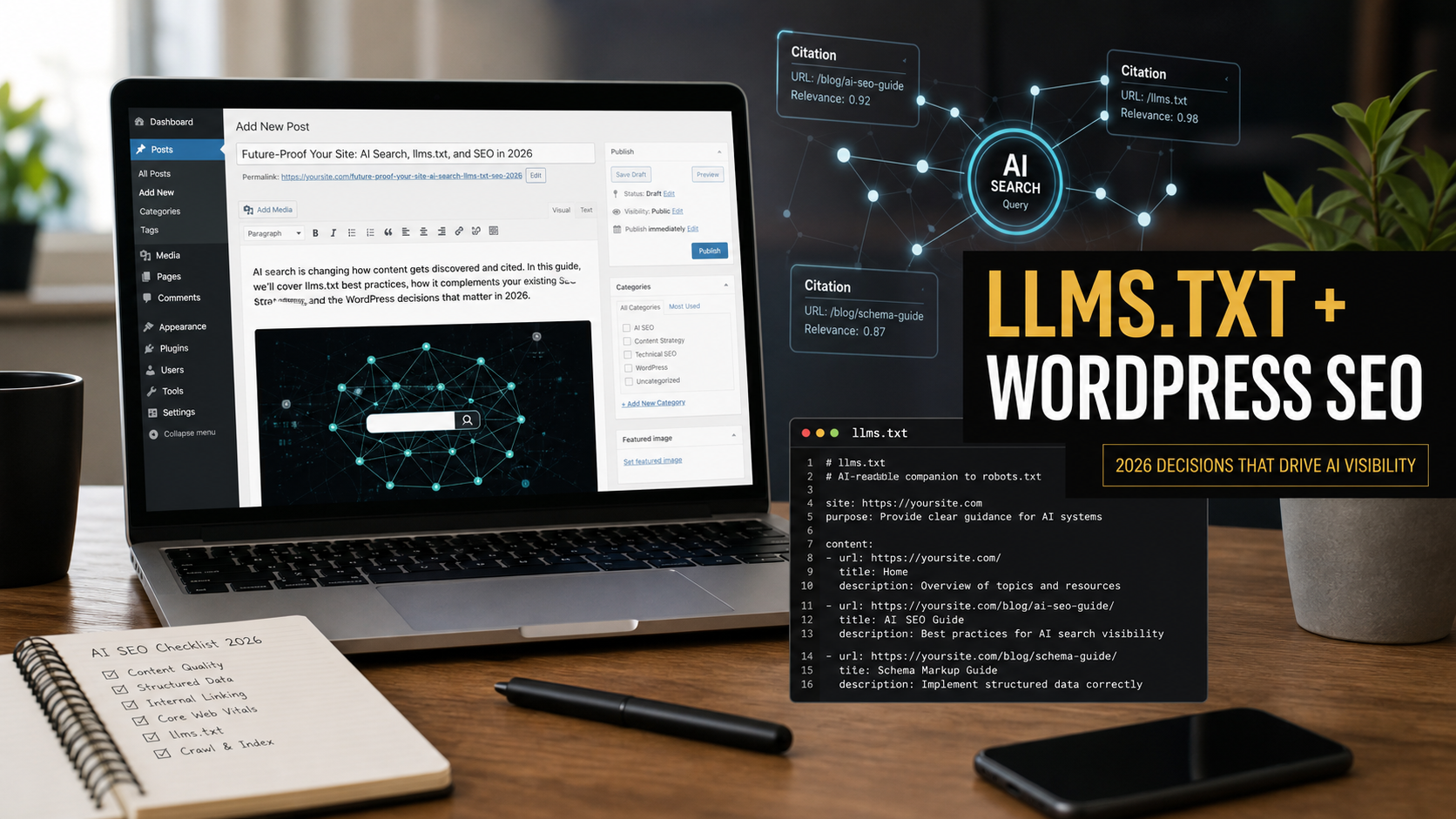
Short answer: WordPress site owners do not need an llms.txt file to rank in Google Search, AI Overviews, or AI Mode. Google clarified on June 15, 2026 that it ignores llms.txt for Google Search visibility. But a clean, human-readable /llms.txt file can still be useful as a lightweight map for other AI tools, browser agents, documentation crawlers, and future discovery workflows, as long as it does not distract from the fundamentals that actually move SEO results.
I am treating llms.txt the same way I treat many technical SEO additions for client WordPress sites: helpful when it supports a clear content architecture, risky when it becomes a shortcut that replaces real cleanup. After 10 years building and maintaining websites for businesses, I have seen plenty of “SEO hacks” become expensive distractions. This one deserves a balanced answer, because the latest guidance is not simply “ignore it” or “install it everywhere.”
What Changed In Google’s June 2026 Guidance
On June 15, 2026, Google updated its Search Central guide for optimizing websites for generative AI features on Google Search. The most important clarification is simple: Google Search does not use llms.txt files as a ranking or AI visibility signal. Google’s guide says regular SEO still matters for AI features because AI Overviews and AI Mode rely on Google’s normal Search index, ranking systems, retrieval, grounding, and related query expansion.
Search Engine Journal covered the update and pointed out the more balanced wording: maintaining llms.txt is acceptable for other services, but it does not help or hurt Google rankings. I also checked the official Google Search Central AI optimization guide, which was last updated on June 15, 2026, and the Google Search documentation updates page for the change note.
The practical meaning for WordPress owners is this: do not panic if your site does not have /llms.txt. Do not buy a package that promises instant AI visibility from one text file. Also, do not assume the file is useless. It can be a tidy support document for non-Google AI systems, internal content audits, developer handoffs, and AI-assisted website maintenance.
What Is llms.txt?
llms.txt is a proposed plain-text or Markdown-style file placed at the root of a website, usually at https://example.com/llms.txt. The informal specification at llmstxt.org describes it as a way to provide concise information that helps language models understand important website resources at inference time.
Think of it as a curated guide, not a sitemap replacement. A sitemap says, “Here are URLs that search engines can discover.” Robots.txt says, “Here are crawl rules.” An llms.txt file says, “Here are the most useful pages, documents, policies, services, and notes if an AI system needs a short guide to this site.”
A Simple Example
# Example Business Name
> A short description of the business, service area, and main expertise.

## Key Pages
- [Services](https://example.com/services/): Main services and who they are for.
- [Pricing](https://example.com/pricing/): Public pricing notes and quote process.
- [Blog](https://example.com/blog/): Practical guides and updates.

## Policies
- [Privacy Policy](https://example.com/privacy-policy/): Data collection and contact form policy.
- [Terms](https://example.com/terms/): Terms for using the website.

## Optional
- [About](https://example.com/about/): Company background and team information.
For many small business WordPress sites, that is enough. The mistake is turning llms.txt into another bloated auto-generated feed with hundreds of low-value links. If the file is longer than the site’s navigation system, it probably stopped being useful.
Should WordPress Sites Use llms.txt In 2026?
My recommendation: use llms.txt only when your site already has the SEO basics in place or when the file supports a real workflow. For example, a documentation site, SaaS knowledge base, agency site, local service business, ecommerce store with detailed policies, or freelancer portfolio can benefit from a short AI-readable map. A thin brochure site with five pages should probably focus on page quality, local SEO, and technical cleanup first.
| Situation | Use llms.txt? | Why |
|---|---|---|
| WordPress site has strong service pages, case studies, FAQs, and policies | Yes | A curated file can point AI tools to the best resources without changing the public design. |
| Site has crawl errors, duplicate pages, weak titles, and no clear internal links | Not yet | Fix indexability and content structure first; Google’s AI features still depend on Search fundamentals. |
| Documentation, tutorials, or plugin/theme support site | Yes | AI coding tools and assistants may benefit from a concise documentation map. |
| Local business with only a homepage and contact page | Usually no | Better returns come from service pages, Google Business Profile accuracy, reviews, and local schema. |
| Client asks for “AI SEO” after reading hype | Maybe | Use it as an education moment, but explain that it is not a ranking lever. |
This is also where I would connect today’s decision to broader AI search work. If you have not yet read my earlier guide on Google AI Search SEO for WordPress, start there. That post covers the wider technical SEO work that matters before adding optional AI-facing files.
What Google Actually Wants You To Focus On
The official Google guide is more useful than the hype around the file. Google’s advice for generative AI search still points back to core SEO work: make pages crawlable, keep technical structure clear, publish unique experience-based content, organize pages with helpful headings, use high-quality images when relevant, avoid scaled content abuse, and maintain a good page experience.
That lines up with what I see in real WordPress troubleshooting. AI search visibility is rarely blocked by the absence of a special text file. It is usually blocked by ordinary problems: thin service pages, no expert perspective, buried contact details, slow mobile templates, plugin conflicts, index bloat, vague titles, duplicate location pages, missing schema, or outdated posts that no one maintained after publishing.
Expert Note From Ricky
If I audit a WordPress site and the client asks for llms.txt, I check three things first: can Google index the pages, can a human quickly understand the offer, and can an AI system quote a precise answer without guessing? If those three are weak, llms.txt is a decoration. If those three are strong, it becomes a neat supporting file.
How SEJ’s Recent Coverage Changes The Practical Decision
SEJ published several useful June 2026 pieces around this topic. One article covered Google’s updated wording around llms.txt. Another discussed Google’s warning that Markdown-only AI SEO can strip away important page context such as layout, navigation, visual cues, and structured relationships. A third reported Ahrefs data suggesting most observed llms.txt files received no requests during the measured period.
I am not reading those as “never use it.” I am reading them as a priority warning. The file may help some systems eventually, but right now you should not treat it as the main SEO project. For a WordPress business site, the better investment is usually clearer pages, stronger internal links, original examples, author credibility, schema where appropriate, and maintenance discipline.
SEJ also reported on Bing adding AI citation visibility inside Webmaster Tools. That matters because measurement is slowly becoming part of AI search work. Even if Google does not use llms.txt, other search and answer platforms may develop their own reporting and discovery habits. This is why I prefer a low-cost, clean implementation instead of ignoring the file completely or over-selling it.
How To Add llms.txt To WordPress Safely
Here is the practical approach I would use for a client site. Keep it boring, version-controlled when possible, and easy to maintain.
Step 1: Choose The Pages Worth Listing
Do not dump every post into the file. Pick pages that explain the business, services, expertise, policies, contact process, and best educational resources. For a web development site, that might include services, WordPress maintenance, SEO troubleshooting, case studies, pricing notes, and a few pillar articles.
For Ricky’s own site, examples of useful internal resources would include the Google AI Mode website owner guide and the Claude Code WordPress audit workflow, because both explain practical AI search and automation decisions rather than just repeating news.
Step 2: Write A Short Site Summary
The summary should be factual. Include what the business does, who it serves, where it operates if location matters, and what topics the site covers. Avoid marketing fluff. An AI assistant does not need “world-class solutions”; it needs concrete nouns and relationships.
Step 3: Upload The File To The Site Root
The cleanest method is uploading a static llms.txt file to the same server location as robots.txt. On managed hosting, that usually means the public web root for the WordPress install. If you use a security plugin, caching layer, or CDN, make sure the file is publicly accessible at /llms.txt and served as plain text.
If direct file access is not available, a developer can add a small rewrite route in WordPress that outputs plain text. I prefer the static file when possible because it is simple, fast, and less likely to break during plugin updates.
Step 4: Keep It Out Of The Indexing Drama
You do not need to submit llms.txt to Google Search Console as if it were a sitemap. You do not need to block it in robots.txt. You also do not need to add it to every page footer. The file should quietly exist for tools that know to request it.
Step 5: Review It Monthly Or After Major Site Changes
The biggest maintenance risk is stale links. If a service page changes, a pricing page is removed, or a policy moves, update the file. A stale llms.txt can mislead the very tools it is supposed to help.
Common WordPress Mistakes To Avoid
- Replacing real content with Markdown copies. Google specifically values crawlable, useful web pages. A separate Markdown version should not become the only well-organized version of your content.
- Auto-generating hundreds of links. A curated file is better than a noisy export. If everything is important, nothing is important.
- Using it as a ranking promise. Google says it ignores the file for Google Search. Sell it as a support document, not an SEO miracle.
- Forgetting internal links. AI systems and human readers both need clear relationships between pages. Internal linking inside the actual site still matters. If your site recently had a security or maintenance issue, tie related guides together naturally, like the WordPress plugin security checklist.
- Adding private or sensitive URLs. Never list admin pages, staging URLs, private PDFs, client portals, hidden quote forms, or anything that should not be discovered.
Troubleshooting Checklist
| Problem | Likely Cause | Fix |
|---|---|---|
/llms.txt returns 404 |
File uploaded to the wrong directory or blocked by host rules | Place it in the public web root and test in an incognito browser. |
| File downloads instead of displaying | Server MIME handling is unusual | Ask the host to serve .txt as text/plain. |
| Old version keeps showing | CDN or page cache cached the text file | Purge CDN cache and exclude /llms.txt from aggressive caching if needed. |
| AI tools cite outdated services | File lists stale pages or old descriptions | Review the file after site redesigns, service changes, and major content edits. |
| Client expects ranking movement | Wrong success metric | Measure crawlability, indexed pages, conversions, and AI referral/citation data where available. |
My Recommended WordPress Workflow
- Run a normal technical SEO audit first: index status, sitemap, robots.txt, canonical tags, redirects, Core Web Vitals, duplicate pages, and mobile usability.
- Review the site’s main pages for clear answers, original experience, author or business credibility, and useful supporting images.
- Improve internal links between service pages, blog guides, FAQs, case studies, and contact paths.
- Create a short
llms.txtfile only after the important pages are worth recommending. - Test
/llms.txtin the browser, with a plain HTTP request, and through at least one AI tool that can browse or fetch URLs. - Document who owns the file so it gets updated when the website changes.
This order keeps the work honest. A site with strong content and clean structure can benefit from a small AI-facing guide. A weak site just gets another file to maintain.
FAQ
Does llms.txt help Google rankings?
No. Google’s June 15, 2026 guidance says Google Search ignores llms.txt for Search visibility. It should not be sold as a ranking factor.
Can llms.txt hurt my WordPress SEO?
A normal public llms.txt file should not hurt Google visibility. The risk is indirect: wasted time, stale links, accidental exposure of private URLs, or using it instead of fixing real SEO issues.
Is llms.txt the same as robots.txt?
No. Robots.txt gives crawler access instructions. llms.txt is a proposed guide that points AI tools toward important resources. It does not control crawling.
Should I install a WordPress plugin for llms.txt?
Only if the plugin is maintained, lightweight, and lets you curate the file manually. For many sites, a static text file is safer and easier than adding another plugin.
What should a freelancer tell clients asking about AI SEO?
Tell them the truth: AI search visibility still depends on useful content, crawlable pages, clear structure, authority signals, and maintenance. llms.txt can support that work, but it does not replace it.
Final Recommendation
If your WordPress site is already in good shape, create a simple /llms.txt file as a low-risk support asset for AI tools that may use it. Keep it short, public, accurate, and maintained. If your site still has weak content, messy indexing, slow pages, or unclear internal links, fix those first. Google’s latest guidance makes the priority clear: AI search is still search. The best AI SEO work is still the disciplined website work that helps humans understand, trust, and act on your content.
Sources
- Google Search Central: Optimizing your website for generative AI features on Google Search
- Google Search Central documentation updates
- Search Engine Journal: Google’s updated guidance on LLMs.txt
- Search Engine Journal: Google says Markdown for AI SEO strips away parts that matter
- Search Engine Journal: Ahrefs data on llms.txt requests
- Search Engine Journal: Bing AI Citation Share in Webmaster Tools
- llms.txt proposal and format notes