
Claude Code Sandboxing for WordPress: Safer Automation Guide
Claude Code Sandboxing for WordPress: Safer Automation Guide
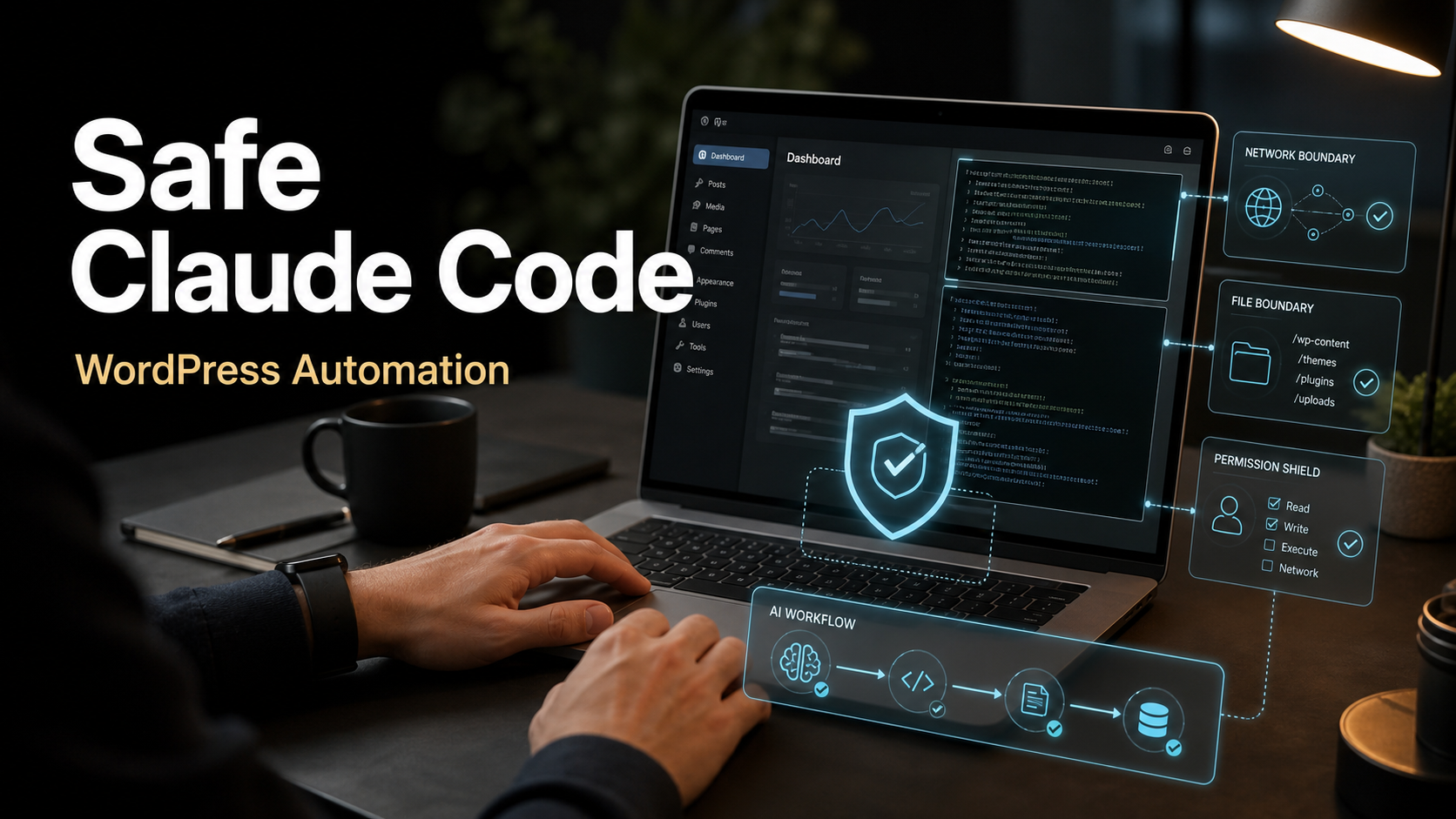
Claude Code has become one of the most useful AI tools for freelancers who build, maintain, and troubleshoot WordPress websites. It can inspect a project, explain unfamiliar code, draft fixes, update tests, write scripts, and help turn a messy maintenance task into a repeatable workflow. But the more useful an AI coding agent becomes, the more important its safety model becomes. A tool that can read files, run commands, and edit code should not be treated like a normal chatbot.
Anthropic published a new engineering post on May 25, 2026 about how it contains Claude across products, including Claude Code. That is the fresh signal behind this guide. The post is not only interesting for AI researchers. It is practical for freelancers because it explains the same problem we face on client projects: how do you give an AI enough access to be helpful without giving it enough access to create expensive damage?
I am looking at this from Ricky’s perspective as a freelance web developer with 10 years of WordPress experience. In client work, automation is valuable only when it is controlled. A safer Claude Code workflow should use staging, backups, permissions, sandboxing, narrow tasks, version control, human review, and clear rollback steps. That is how AI becomes a professional maintenance assistant instead of a risky shortcut.
Quick Answer: What Changed?
Anthropic’s May 25, 2026 containment article explains that Claude-powered products need layered defenses because AI agents can interact with files, tools, browser sessions, command lines, and third-party systems. The company describes three broad risk categories: misuse by a user, unwanted model behavior, and attacks from external systems such as prompt injection. Anthropic also says Claude Code defaults to cautious behavior, including permission prompts for higher-risk actions.
For WordPress freelancers, the practical takeaway is simple: Claude Code should be used like a junior developer with a fast memory and a terminal, not like an unattended site owner. Let it inspect, explain, draft, test, and automate controlled tasks. Do not let it push production changes, rotate credentials, edit customer data, update live ecommerce flows, or run broad commands without a human review step.
This article builds on Ricky’s earlier guide to Claude Code WordPress automation workflows for freelancers. The focus here is the safety layer: what to allow, what to block, how to structure a client maintenance workflow, and how to keep WordPress automation useful without making the site fragile.
Why Claude Code Safety Matters for WordPress
WordPress projects are rarely clean lab environments. A real client site may have a custom theme, premium plugins, old snippets, a staging copy that is not perfectly synced, a page builder, a cache plugin, a security plugin, cron jobs, analytics scripts, custom redirects, server-level rules, and a WooCommerce checkout. A small edit can have consequences outside the file being changed.
That is why safety matters. Claude Code can help with theme debugging, plugin conflict analysis, migration scripts, content cleanup, schema fixes, performance checks, and documentation. But those same abilities can become risky if the agent runs commands in the wrong folder, edits production credentials, deletes generated files that are actually needed, changes a plugin file that will be overwritten, or commits a quick fix without testing the business-critical path.
Search Engine Journal has been covering how AI search and AI-assisted workflows are changing digital marketing work. I use that as a practical market signal: clients are hearing more about AI, but they still need reliable websites, accurate content, and measurable leads. Google’s official AI search guidance also keeps pointing back to fundamentals: useful content, crawlable pages, clear structure, and trustworthy technical execution. AI tools should help you do that work better, not distract from it.
Claude Code Permission Layers, in Plain English
Claude Code is designed around permissions. In normal use, the agent can inspect and suggest, but sensitive actions require approval. Anthropic’s documentation describes configurable permission behavior, including allow, ask, and deny rules. That matters because a freelancer should not use one global trust level for every client, repo, or command.
A safer setup treats permissions as project policy. Reading a theme template may be low risk. Editing a staging branch may be acceptable after review. Running tests may be useful. Running a command that deletes files, changes dependencies, pushes to remote, modifies a database, or exposes environment variables should require much stricter approval or be denied completely.
Permission Prompting Is Not the Same as Containment
A permission prompt asks the human to decide whether an action should happen. Containment limits what can happen even if an action is approved or something behaves unexpectedly. You need both. A freelancer can get tired and approve too quickly. A model can misunderstand the task. A malicious page, email, document, or dependency can try to influence the agent through prompt injection. The safety design should assume that one layer can fail.
For WordPress work, containment means using a staging environment, a disposable local copy, a dedicated repo checkout, limited file access, no production secrets in the workspace, and commands that operate only inside the intended project directory. It also means using version control so every change can be reviewed before it reaches a client site.
Safe vs Risky Claude Code WordPress Tasks
| Task | Risk Level | Safer Claude Code Role | Human Check |
|---|---|---|---|
| Explain a theme template, shortcode, or plugin conflict | Low | Read files and summarize likely causes | Confirm the file paths and test the theory |
| Create a troubleshooting checklist for a broken form | Low | Draft steps and identify likely plugins or settings | Verify email delivery, spam rules, and CRM logs |
| Patch a child theme file on staging | Medium | Edit scoped files and run local checks | Review diff, test desktop/mobile, then deploy manually |
| Update dependencies or build tooling | Medium | Suggest commands and explain upgrade risk | Run tests, inspect lockfile changes, keep rollback ready |
| Run database search-replace | High | Draft the exact command and backup plan | Human runs it only after backup and staging verification |
| Edit production credentials or API keys | High | Explain the secure rotation process | Human performs secret changes outside the AI workspace |
| Deploy live WooCommerce checkout changes | High | Prepare a diff and test plan | Human deploys during maintenance window after checkout tests |
The pattern is deliberate. Claude Code is strongest when it narrows the problem, prepares the fix, writes repeatable steps, and helps test. The human still owns production authority, client communication, and final business risk.
A Safer Claude Code Setup for WordPress Freelancers
Step 1: Work From a Local or Staging Copy
Do not point an AI coding agent at a live production file manager and hope for the best. Use a Git repository, local development environment, or staging copy. For managed WordPress hosting, clone production to staging first. For custom builds, pull the repository locally and make sure the database, uploads, and environment settings are treated carefully.
If the website recently launched or moved, compare your workflow with Ricky’s guide on common problems when launching a WordPress website. Many automation mistakes are really launch discipline mistakes: missing backups, broken redirects, untested forms, stale cache, or no clear rollback plan.
Step 2: Remove Secrets From the AI Workspace
Claude Code does not need broad access to production secrets for most WordPress maintenance tasks. Keep production database passwords, API keys, SMTP credentials, payment keys, license keys, and private customer exports outside the working folder unless the specific task truly requires them. Use example environment files, local-only credentials, or redacted configs for analysis.
This is especially important now that WordPress and AI integrations are becoming more common. Ricky’s recent WordPress 7.0 AI update guide covers the same security principle from the platform side: API keys are production credentials, not casual settings.
Step 3: Use Git as the Review Boundary
Before asking Claude Code to edit anything, check the current branch and working tree. After it edits, inspect the diff. Do not mix unrelated cleanup with a client fix. A good automation task should produce a small, reviewable change: one template fix, one CSS adjustment, one test update, one script, or one documentation improvement.
For Ricky’s type of client work, this matters because clients rarely pay for “AI changed many things.” They pay for outcomes: the form works, the checkout is stable, the site loads faster, the migration is clean, or the SEO issue is fixed. A clean diff makes the outcome easier to verify.
Step 4: Define Allowed and Denied Actions
Use Claude Code permissions to reflect the risk of the project. For a new local demo, permissions can be more flexible. For a client site with private data, the policy should be stricter. Deny commands that expose secrets, delete broad folders, change production remotes, run unreviewed migrations, or send data to unknown external services. Require approval for package installs, database operations, deploy commands, and anything that touches authentication or payment code.
One simple rule works well: Claude can propose high-risk commands, but a human runs them after reviewing the command, backup state, and expected result.
Step 5: Test the User Workflow, Not Only the Code
After a Claude-assisted change, do not stop at “the command passed.” Test the user workflow. For WordPress, that usually means loading the affected page on desktop and mobile, submitting the form, checking email delivery, clearing cache, reviewing the browser console, checking logs, and confirming that SEO metadata or schema still looks correct.
If the change touches performance, Ricky’s W3 Total Cache settings guide for WordPress is a useful reminder that cache, minification, and CDN behavior can hide or amplify errors. A fix that works before cache but fails after cache is not finished.
Example Workflow: Fixing a Broken WordPress Contact Form
Here is a practical Claude Code workflow I would use for a client who says a contact form stopped sending leads.
- Clone the site to staging or reproduce the form setup locally.
- Ask Claude Code to inspect the theme template, form plugin settings export, custom snippets, recent commits, and error logs if available.
- Ask for a short diagnosis table: symptom, likely cause, evidence, and next test.
- Let Claude draft a test checklist covering browser submission, spam filtering, SMTP logs, webhook logs, CRM delivery, and admin notifications.
- Approve only scoped file reads and low-risk commands first.
- If code changes are needed, let Claude patch the staging branch only.
- Review the diff manually and run the form test with real test data.
- Clear cache and retest from a private browser session and a mobile device.
- Deploy manually after backup, then confirm that the client receives the lead notification.
- Document the root cause and the final fix for the maintenance record.
This is where Claude Code is genuinely useful. It reduces investigation time, organizes the likely causes, writes repetitive checks, and drafts the patch. It does not replace the professional judgment needed to verify the site is actually collecting leads again.
Example Workflow: Updating WordPress SEO Content Safely
Claude can also help with SEO tasks, especially when the job is structured. For example, a freelancer can ask Claude Code to audit a set of markdown drafts, compare headings, identify missing internal links, generate FAQ suggestions, or flag pages with thin meta descriptions. That supports the AI search work covered in Ricky’s Google AI Search SEO guide for WordPress.
The safety rule is that Claude can draft and compare, but published claims need human review. Do not let an AI assistant invent sources, fake product details, or publish client content without approval. In 2026, AI search visibility depends on clear, useful, experience-based content. Automation should make that content easier to produce and maintain, not more generic.
Recommended Permission Policy for Client WordPress Work
| Area | Recommended Default | Reason |
|---|---|---|
| Read project files | Allow inside the client repo | Claude needs context to diagnose and explain issues |
| Read parent folders | Deny | Prevents accidental access to unrelated clients or secrets |
| Edit theme or plugin code | Ask | Useful on staging, risky without review |
| Run tests and linting | Ask or allow for known commands | Good for verification if commands are scoped |
| Install packages | Ask | Can change lockfiles, security surface, and build behavior |
| Database commands | Ask or deny | High impact; require backup and exact target confirmation |
| Deploy commands | Deny by default | Production authority should stay with the freelancer |
| Read environment secrets | Deny unless absolutely required | Reduces credential exposure and client risk |
This policy is intentionally conservative. You can loosen it for personal projects or disposable prototypes. For client websites, the cost of being too relaxed is higher than the inconvenience of approving a few important actions.
Mistakes to Avoid
- Using Claude Code directly on production files with no staging copy.
- Keeping production secrets in the same folder used for AI-assisted work.
- Approving terminal commands without reading the target path and expected result.
- Letting the agent change many unrelated files during a small maintenance task.
- Skipping a manual diff review because the AI explanation sounded confident.
- Deploying a code fix without testing the real user workflow: form, checkout, login, booking, or search page.
- Trusting AI-generated SEO claims without checking official sources or vendor documentation.
- Forgetting to document what changed for the client maintenance record.
SEO and GEO Angle: Why Safe Automation Helps Search
Search Engine Journal’s recent SEO and AI search coverage keeps returning to the same practical reality: search visibility now depends on technical quality, original usefulness, and pages that answer real questions clearly. Google’s official AI search documentation says site owners still need accessible, indexable, useful content. Claude Code can support that work when it is used carefully.
For example, Claude can help identify missing internal links, inconsistent headings, duplicate title formats, schema conflicts, broken templates, and pages that do not answer the user’s main question. It can also help write a checklist for Search Console validation after a migration or content update. Those are practical SEO tasks. The danger is using AI to mass-produce shallow pages or publish unsupported claims. That creates more content, but not more trust.
My freelancer recommendation is to use Claude Code for structured SEO maintenance: audits, comparisons, cleanup scripts, metadata drafts, schema validation notes, and internal link suggestions. Keep human review over positioning, facts, sources, and final publishing.
When Claude Code Is the Wrong Tool
Claude Code is not always the right answer. If a client needs a strategic website redesign, pricing decision, brand positioning, legal review, accessibility audit, privacy policy update, or payment gateway approval, the work needs human expertise and often specialist review. Claude can help organize information, but it should not make business commitments.
I would also avoid AI coding automation when the site has no backup, no staging environment, no Git history, no clear owner, and no way to test the important user flows. In that situation, the first job is not AI automation. The first job is building a maintenance foundation: backup, staging, version control, access cleanup, monitoring, and documentation.
My Freelancer Recommendation
If a client asked me today whether Claude Code can help with their WordPress site, I would answer yes, but with boundaries. I would use it to speed up investigation, generate test plans, draft patches, document fixes, compare files, and maintain SEO or content workflows. I would not give it unattended production access or let it make final decisions about credentials, payments, private data, or live deployment.
The right sales message is not “AI can manage your website by itself.” The better message is: “AI can help me maintain your website faster and more carefully when it is used inside a controlled workflow.” That is more credible, and it matches how professional WordPress maintenance should work.
FAQ
Can Claude Code be used for WordPress websites?
Yes. Claude Code can help inspect WordPress code, diagnose plugin or theme issues, draft fixes, write scripts, prepare test plans, and document maintenance work. Use it on local or staging copies first, not directly on production.
Is Claude Code safe for client projects?
It can be safe when used with permissions, sandboxing, Git review, backups, staging, and human approval. It becomes risky when it has broad file access, production secrets, deployment authority, or permission to run commands without review.
What should Claude Code be allowed to do by default?
For client WordPress work, allow scoped file reading inside the project. Require approval for edits, package changes, tests, and terminal commands. Deny production deployment, broad deletion commands, parent-folder access, and secret inspection unless there is a specific reviewed need.
Can Claude Code update a live WordPress site?
Technically, an AI-assisted workflow can prepare changes for a live site, but the safer process is to make changes on staging or in a repository, review the diff, test the user workflow, back up production, and deploy manually.
Does Claude Code help with SEO?
Yes, when the SEO task is structured. It can help audit headings, metadata drafts, internal links, schema notes, content gaps, and technical checklists. A human should still verify search intent, facts, sources, claims, and final publishing.
Final Thoughts
Claude Code is useful because it can work close to the files, commands, and workflows that real developers use. That is also why it needs boundaries. Anthropic’s latest containment discussion is a good reminder that agentic tools require layered safety, not blind trust.
For WordPress freelancers, the winning workflow is practical: use Claude Code on staging or local copies, keep secrets out of reach, define permissions, review every diff, test the business workflow, and deploy with a rollback plan. That approach protects the client while still letting AI remove repetitive work and speed up troubleshooting.
Used this way, Claude Code is not a replacement for a skilled freelancer. It is a faster assistant inside a professional process. That is the difference between AI hype and reliable WordPress automation.
Sources used: Anthropic: How we contain Claude across products, Anthropic Claude Code security documentation, Anthropic Claude Code settings and permissions, Anthropic Claude Code hooks documentation, Google Search Central: AI optimization guidance, Search Engine Journal coverage of Google’s AI search guidance, and Search Engine Journal SEO Pulse on AI search changes.