
Claude Tag for WordPress: Safer Slack Workflows for Freelancers
Claude Tag for WordPress: Safer Slack Workflows for Freelancers
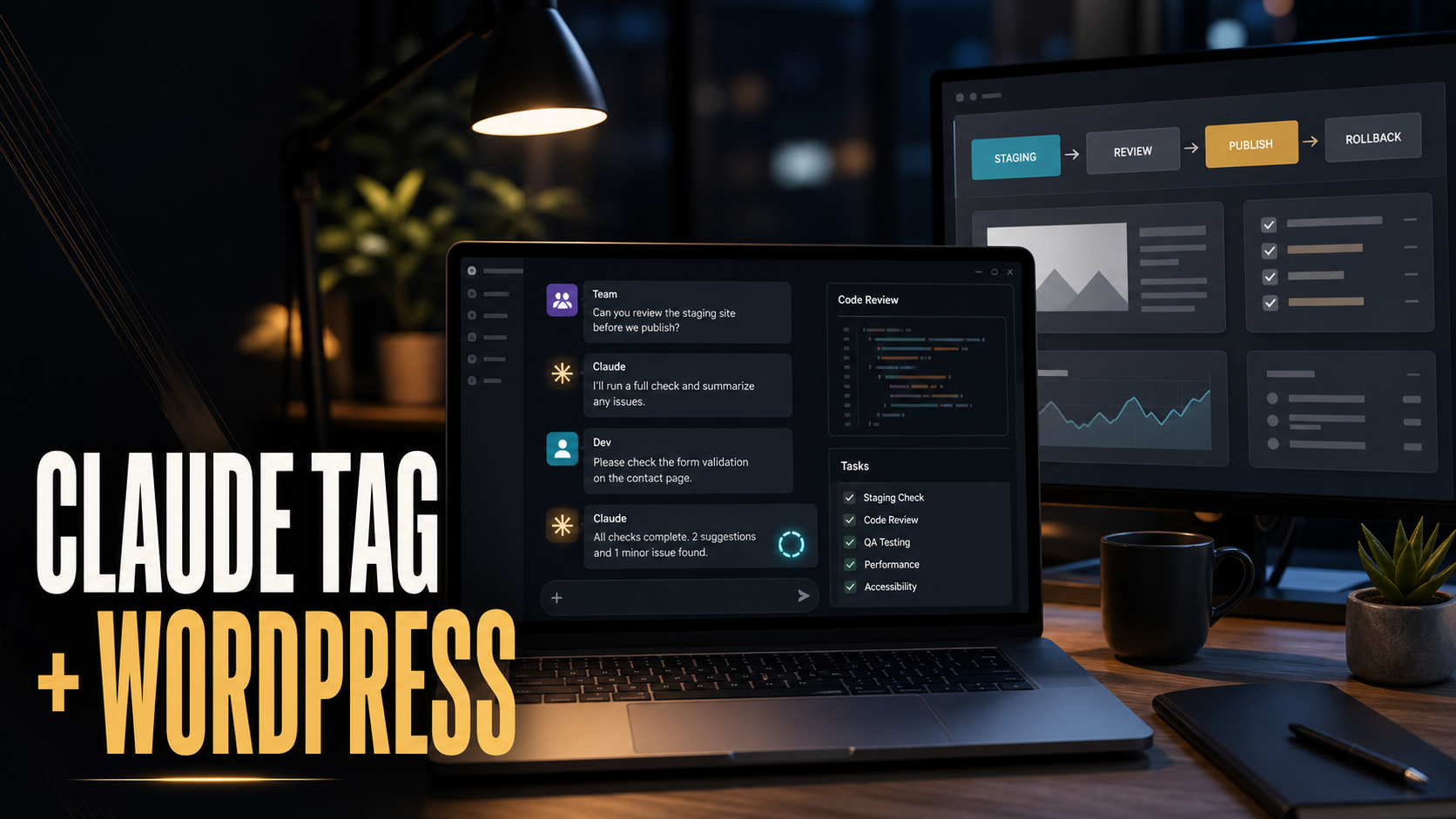
Claude Tag is one of the more practical AI workflow updates for small web teams because it moves Claude from a private chat window into the place where work already gets discussed: Slack. Anthropic announced Claude Tag on June 23, 2026 as a beta for Claude Enterprise and Team customers, starting with Slack. The headline is simple: people in a selected channel can tag @Claude, delegate a task, and get the result back in the thread.
For a freelance WordPress developer, that sounds useful and dangerous at the same time. Useful, because client requests, bug reports, staging notes, design feedback, and SEO tasks often live in messy chat threads. Dangerous, because a chat-based AI assistant should not automatically get production admin access, hosting credentials, payment settings, or the ability to publish changes without review.
My view after 10 years as a freelance web developer is this: Claude Tag is best treated as a shared project assistant, not as a production operator. Use it to summarize, triage, draft, compare, inspect, and prepare work. Keep final website changes behind Git, staging, backups, permissions, and human approval. That balance gives you the speed benefit without turning Slack into an uncontrolled deployment surface.
Quick Answer: What Is Claude Tag?
Claude Tag lets an organization add Claude to selected Slack channels so team members can ask it to help with work in context. Anthropic says administrators can scope Claude’s tools, data, memories, spend limits, and activity logs by channel. In practical terms, that means a team can create different Claude identities for different workflows, such as support, engineering, sales, or operations.
For WordPress teams, the useful idea is not that Claude can see chat. The useful idea is that Claude can help turn scattered chat into structured work: bug tickets, test plans, article briefs, QA checklists, client replies, code review notes, staging summaries, and handoff documentation.
What Changed In June 2026
Anthropic’s Claude Tag announcement says the product starts in Slack, is available in beta for Claude Enterprise and Team customers, and can connect to selected tools, data, and codebases. Anthropic also describes Claude Tag as multiplayer, asynchronous, capable of building channel context over time, and able to schedule longer-running work when configured.
That matters because most AI tools still behave like single-user workspaces. A developer asks a question, gets an answer, and then manually transfers the result into Slack, a ticket, a pull request, a client email, or a project board. Claude Tag reduces that copy-paste layer by letting the team delegate from the thread where the issue is already being discussed.
Claude Tag also connects to Anthropic’s May 28, 2026 Claude Opus 4.8 release. That update introduced improvements for agentic work, effort control, and Claude Code dynamic workflows for larger tasks. I would not treat those claims as a reason to automate everything. I would treat them as a reason to design better handoffs: let AI do more background preparation, then require clear evidence before the developer changes a live site.
Why This Matters For WordPress Freelancers
WordPress work is rarely just code. A normal week can include plugin updates, theme edits, form testing, analytics questions, hosting errors, SEO cleanup, client copy changes, image replacement, WooCommerce checkout checks, and urgent “the page looks wrong on mobile” messages. The work enters through email, Slack, screenshots, browser recordings, Word documents, Google Docs, and short messages from people who do not know the technical cause.
Claude Tag can help by extracting the work from that noise. It can read a thread, identify missing details, produce a concise ticket, propose a test plan, compare the request against past decisions, or draft a client reply. That is especially helpful for freelancers because time lost to clarification is real project cost.
The SEO angle is also important. Search Engine Journal recently argued that AI-era visibility rewards clarity and authority density more than raw content volume. I agree with the operational lesson: do not use AI to produce more disconnected pages. Use AI to make the work more structured, better sourced, and easier to maintain. A Slack assistant that turns scattered ideas into one strong, reviewed WordPress article or one clear bug fix is more valuable than one that generates twenty weak drafts.
Best Use Cases For Claude Tag And WordPress
1. Turn client feedback into developer-ready tickets
Clients often report symptoms, not root causes: “the homepage is broken,” “the form is not working,” or “Google shows the wrong thing.” Claude Tag can summarize the thread into a useful ticket that includes the affected URL, browser, device, expected behavior, actual behavior, screenshots mentioned, suspected system, and unanswered questions.
A good Claude Tag request might be:
@Claude summarize this thread into a WordPress bug ticket.
Include:
- affected URL
- expected result
- actual result
- evidence mentioned
- likely component
- missing information to ask the client
- safe first checks on staging
Do not suggest production changes.
2. Prepare WordPress QA checklists
Before publishing a page or deploying a plugin update, Claude can convert the change discussion into a QA checklist. For example, if the team discussed a new contact form, Claude can list the fields to test, email routing, spam protection, thank-you page, mobile layout, analytics event, error state, and privacy text.
This is where my WordPress launch troubleshooting guide fits naturally. Many launch problems are not complex engineering failures. They are missed checks. A channel assistant can make those checks more consistent.
3. Draft client updates from technical work
Freelancers often do the technical fix and then spend extra time explaining it clearly. Claude Tag can turn a developer thread into a short client-facing update: what changed, what was tested, what the client should review, and what remains out of scope.
The important rule is to keep claims honest. If nobody tested checkout, do not let the summary imply checkout was tested. Ask Claude to separate “completed,” “verified,” “needs client review,” and “not checked.”
4. Support content and SEO workflows
Claude Tag can help a WordPress blog process by turning Slack discussions into briefs, outlining missing sections, finding where a topic overlaps existing posts, and suggesting internal links. That supports AI search optimization because the goal is not more filler. The goal is clearer definitions, better structure, useful examples, and stronger topical relationships.
For example, if a team is planning an AI SEO article, Claude can compare the draft angle against an older post like fixing real WordPress HTML instead of creating AI shadow pages. That helps avoid publishing redundant content that competes with the site’s own stronger guide.
5. Create safer Claude Code handoffs
Claude Tag is not the same as Claude Code, but the two can complement each other. A Slack channel can be the planning and review surface. Claude Code can be the controlled implementation surface inside a repository. The bridge between them should be a written handoff, not an open-ended command to edit production.
If you already use Claude Code, pair Claude Tag with a workflow like the one in my Claude Code 2.1.183 WordPress safety guide. Let Slack produce the scoped task, then let Claude Code work in a branch with permissions, tests, and review.
Comparison: Good And Bad Claude Tag Workflows
| Workflow | Good use | Risk | Ricky’s recommendation |
|---|---|---|---|
| Thread summarization | Turn long client discussions into clear tickets, briefs, or QA lists. | May miss context if the channel lacks key facts. | Use it often, but require unanswered questions to be listed. |
| Support triage | Classify reports by severity, affected URL, system, and next check. | Can understate urgency if the business impact is not obvious. | Define severity rules for downtime, checkout, login, and forms. |
| Content planning | Build outlines, FAQs, internal link ideas, and source checklists. | Can create generic drafts or duplicate existing content. | Use it for structure, then add expert review and source verification. |
| Codebase connection | Answer questions about project structure or prepare a scoped handoff. | Source code access is sensitive and can expose private logic. | Connect only the repositories and branches needed for the task. |
| WordPress admin access | Rarely needed for a chat assistant. | Can publish, delete, install, or expose site data if over-permissioned. | Avoid direct production admin access unless there is a strict approval layer. |
| Deployment requests | Prepare release notes and deployment checklist. | Automated deployment from chat can skip review and rollback planning. | Keep deployment as a human-approved step outside Slack. |
A Practical Setup For A WordPress Project
Step 1: Create purpose-specific channels
Do not add Claude to one giant channel that mixes sales, support, code, client data, billing, and private decisions. Use scoped channels. For example:
#client-acme-supportfor user reports and triage.#client-acme-contentfor blog and page planning.#client-acme-devfor technical investigation and staging notes.#client-acme-releasefor deployment checklists and approvals.
Claude Tag is most useful when the channel has a clear job. It becomes less reliable when every kind of work is mixed together.
Step 2: Decide what Claude can read
Anthropic says administrators can grant access to selected channels, tools, data, and codebases. Use that scoping seriously. A support Claude does not need billing records. A content Claude does not need production credentials. A development Claude may need repository read access, but it usually does not need customer databases.
If you are connecting WordPress itself, prefer low-risk read-only or draft-oriented workflows first. WordPress application passwords can be useful for API integrations, but they should be treated like credentials. Keep them scoped, revocable, and separate from personal administrator passwords. The WordPress application passwords guide is a good starting point for understanding that authentication model.
Step 3: Define channel instructions
Claude needs local rules. A WordPress support channel could use instructions like:
When tagged in this channel:
- summarize the request before proposing action
- ask for URL, browser, device, role, and screenshot if missing
- classify severity as critical, high, normal, or low
- never request or reveal passwords
- never recommend editing production first
- prefer staging, backup, and rollback steps
- separate facts from assumptions
- end with the next owner and next action
These instructions are not a security boundary by themselves. They are the operating manual. Combine them with tool permissions and human review.
Step 4: Keep production changes outside the first loop
The safest first version of Claude Tag for a WordPress freelancer is a preparation workflow:
- Client reports an issue in Slack.
- Claude summarizes the issue and missing facts.
- The developer verifies on staging or in logs.
- Claude drafts the ticket, test plan, and client update.
- The developer implements the fix in Git or WordPress staging.
- Claude helps prepare release notes and QA checklist.
- A human approves deployment and checks production.
That workflow still saves time, but it preserves accountability. It also matches the broader safety approach I recommend in my Claude Code sandboxing guide for WordPress: narrow permissions, clear scope, staging first, and evidence before action.
Troubleshooting Table: Claude Tag In WordPress Workflows
| Problem | Likely cause | Fix | Prevent it next time |
|---|---|---|---|
| Claude gives a confident but wrong summary | The thread lacks key context or contains conflicting comments. | Ask Claude to list evidence and uncertainties separately. | Use a ticket template with required URL, device, account role, and screenshots. |
| Claude suggests unsafe production changes | Channel instructions do not define environment boundaries. | Update instructions to require staging, backup, and approval first. | Remove direct production tools from the channel identity. |
| Claude repeats outdated project decisions | Old channel context or stale documentation is being treated as current. | Ask it to cite the exact thread, doc, or file used. | Keep a pinned project source of truth for current decisions. |
| Content drafts sound generic | The prompt asks for output volume instead of expert perspective. | Request examples, tradeoffs, mistakes, and Ricky-style recommendations. | Use briefs that include audience, search intent, internal links, and sources. |
| Too many people tag Claude at once | The channel has no ownership or queue discipline. | Ask Claude to maintain a current task list and owner summary. | Create separate channels for support, content, development, and releases. |
| Costs rise without visible value | Claude is being asked to monitor or rework low-value threads. | Review activity logs and spend by channel. | Set spend limits and define which tasks deserve AI help. |
Prompts I Would Actually Use
Bug triage prompt
@Claude turn this thread into a WordPress triage note.
Return:
1. concise issue summary
2. affected URL or area
3. business impact
4. evidence in this thread
5. missing information
6. safe staging checks
7. likely owner
Do not recommend production edits.
Content brief prompt
@Claude create a blog brief from this discussion.
Include search intent, reader problem, unique angle, H2 outline,
FAQ questions, internal link opportunities, source checklist,
and what first-hand experience Ricky should add.
Flag overlapping existing posts instead of creating duplicate content.
Release handoff prompt
@Claude prepare a release handoff.
Separate:
- changes included
- files or components touched
- staging tests completed
- production checks required
- rollback plan
- client message draft
Do not say a check passed unless someone confirmed it in the thread.
Mistakes To Avoid
Giving Claude broad WordPress administrator access too early
A chat assistant does not need maximum power to be useful. Start with summarization, drafting, and read-only context. Add write capabilities only when there is a clear business case, an audit trail, and a rollback plan.
Letting Slack become the source of truth
Slack is great for discussion, but final decisions should land in the right system: Git, a ticket, a project document, a changelog, a WordPress draft, or a client-approved scope. Claude can help move the decision there.
Using AI to publish more weak content
SEJ’s content strategy warning is relevant here. AI makes it easy to create more pages, but search and AI retrieval systems increasingly reward clarity, consolidation, and distinct value. Use Claude Tag to make better content decisions, not just faster drafts.
Skipping human review because the summary sounds polished
Polished text is not proof. Require links, screenshots, tested URLs, log evidence, or code references for technical claims. The more expensive the consequence, the stronger the evidence should be.
Who Should Use Claude Tag?
Claude Tag is a good fit for agencies, freelancers with recurring clients, and small teams that already coordinate work in Slack. It is especially useful when tasks are spread across threads and someone regularly has to turn messy discussion into structured action.
It is less useful for a solo freelancer who already keeps all work in a task manager, or for a client who has no process discipline at all. AI will not fix a missing workflow by itself. It can accelerate a good workflow and expose gaps in a weak one.
My Recommended Minimum Standard
- Use separate channels for support, content, development, and release work.
- Give Claude only the channels and tools needed for that channel’s job.
- Keep production credentials, payment data, and private customer data out of general AI context.
- Require Claude to separate facts, assumptions, missing information, and recommended next steps.
- Use staging for verification before production.
- Keep final code changes in Git and final content changes in WordPress drafts until reviewed.
- Use spend limits and activity logs to monitor value.
- Review AI-generated client messages before sending.
FAQ
Is Claude Tag available to everyone?
Anthropic announced Claude Tag as a beta for Claude Enterprise and Team customers, starting with Slack. Availability may expand, so check Anthropic’s current product page before planning a rollout.
Can Claude Tag publish WordPress posts?
It could theoretically support publishing if connected to the right tools, but I would not start there. A safer workflow is to let Claude draft, summarize, and prepare checklists, then publish from WordPress after human review.
Should I connect Claude Tag to my WordPress admin account?
Usually no. If you need an integration, use a purpose-specific account or credential with the least access required, and make sure it can be revoked. Avoid sharing personal administrator credentials.
How is Claude Tag different from Claude Code?
Claude Tag is a Slack-based team workflow surface. Claude Code is a coding agent for working in repositories and development environments. Use Claude Tag for planning, triage, and handoff. Use Claude Code for controlled implementation with permissions and tests.
What is the best first workflow to test?
Start with bug triage or release notes. Both are high-friction, low-risk tasks where Claude can save time without needing production write access.
Can Claude Tag help with SEO?
Yes, if you use it for briefs, source checklists, internal link planning, content consolidation, FAQ extraction, and editorial review. Do not use it to mass-produce thin posts.
Final Takeaway
Claude Tag is interesting because it fits where WordPress work actually happens: inside team conversations. For freelancers and small web teams, the strongest use is not autonomous publishing or production editing. The strongest use is converting scattered conversation into clear, reviewable work.
Use Claude Tag to summarize, triage, draft, plan, compare, and prepare. Keep staging, Git, WordPress drafts, QA, deployment, and client approval in the professional workflow. That is how you get the speed of AI without giving up the discipline that keeps client websites safe.